Goodbirch

Now on the Shopify App Store

Advent & Christmas calendars for Shopify

An advent calendar that looks like your brand.

Bring shoppers back every day until Christmas. Cut the doors from your own artwork, let AI design it in your colours, or pick one of 14 ready-made themes.

14-day free trial. Set it up on your own store before you decide.

This is the real Yulebox calendar, running in your browser. Open today's door.

Time machine December 9

Demo · it's December 9. Nothing you do here leaves your browser.

In a minute

From your artwork to an opened door

The whole season in 62 seconds: the calendar on a store, a door and its code, sign-up on a phone, the AI designer, the themes, door stories and testing.

1:02, no sound needed. It plays from this site: no YouTube, no tracking.

Ready before December, in three steps

Yulebox does one job: advent calendars, also called Christmas calendars, that look made for your brand. Most of the work is picking the look and the rewards, and both have a head start. Planning what goes behind each door? Read the guide to running an advent calendar on Shopify.

  1. Pick a look

    Upload your artwork and the doors are cut out of it, describe a look and AI designs it in your colours, or start from one of 14 ready-made themes.

  2. Fill the doors

    One click puts a starter reward behind all 24. Change any door to a discount, free shipping, a gift or a story; AI drafts the stories from your products and a few facts about your brand.

  3. Try it, then go live

    Test mode runs the calendar on your own store on any day you pick, with real codes. When it's right, press Activate: it gets its own page, or a block on any page.

Three ways to make it yours

A calendar that looks like a template is easy to scroll past. Yulebox starts from your brand instead.

Your artwork

Doors cut from your own picture

Upload this season's illustration, packaging or campaign visual. The doors are cut right out of it, like a printed advent calendar, and the page around it is designed to match. Pick Your artwork in the demo above to see one.
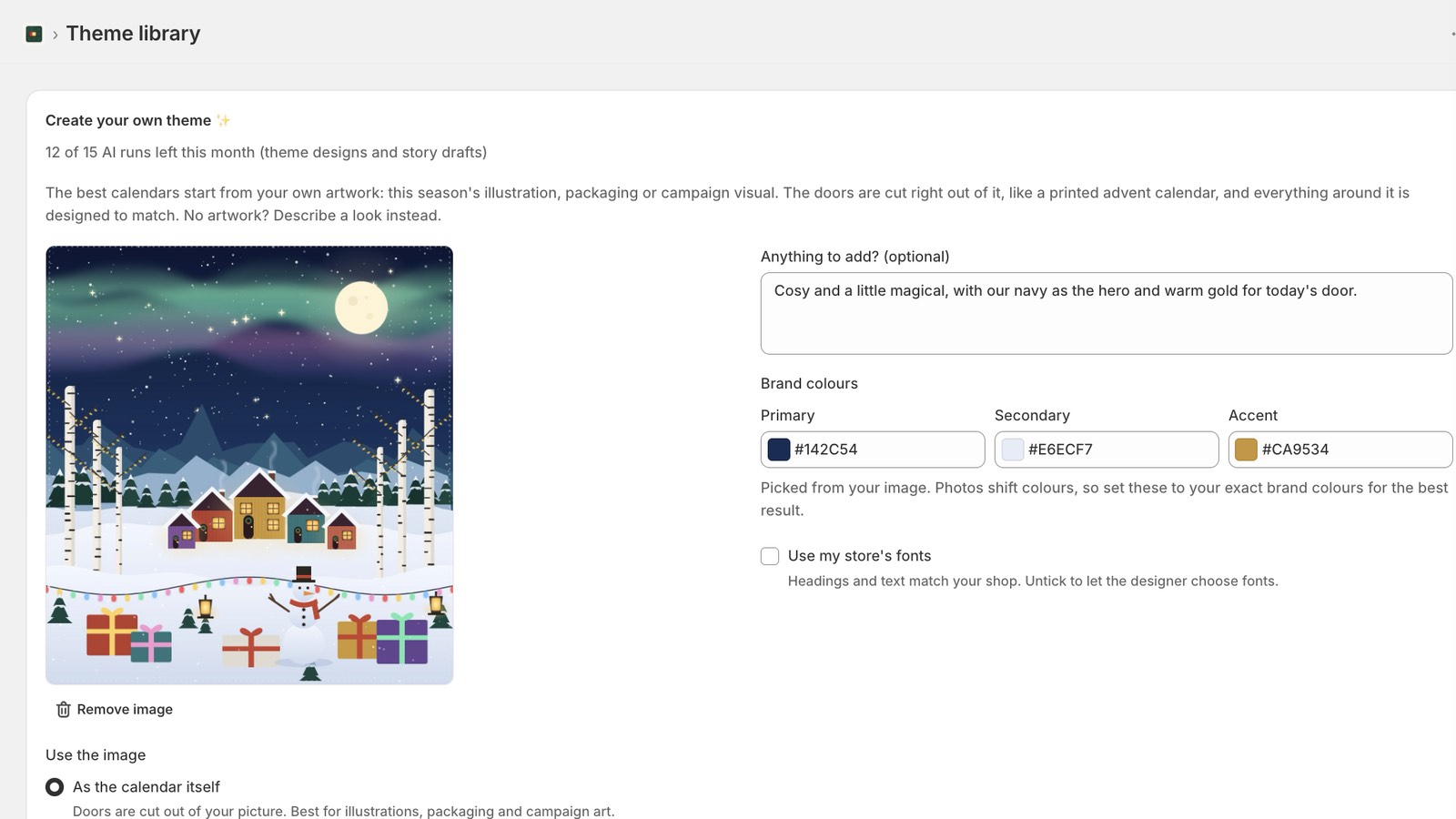
The Yulebox theme designer: an uploaded winter village illustration, a short brief and brand colours picked from the image

Designed by AI

Describe it, get three designs

No artwork? Describe the look in a sentence and add your brand colours. The AI designs three calendars to choose from. Fine-tune any colour yourself, or ask for changes in plain words.

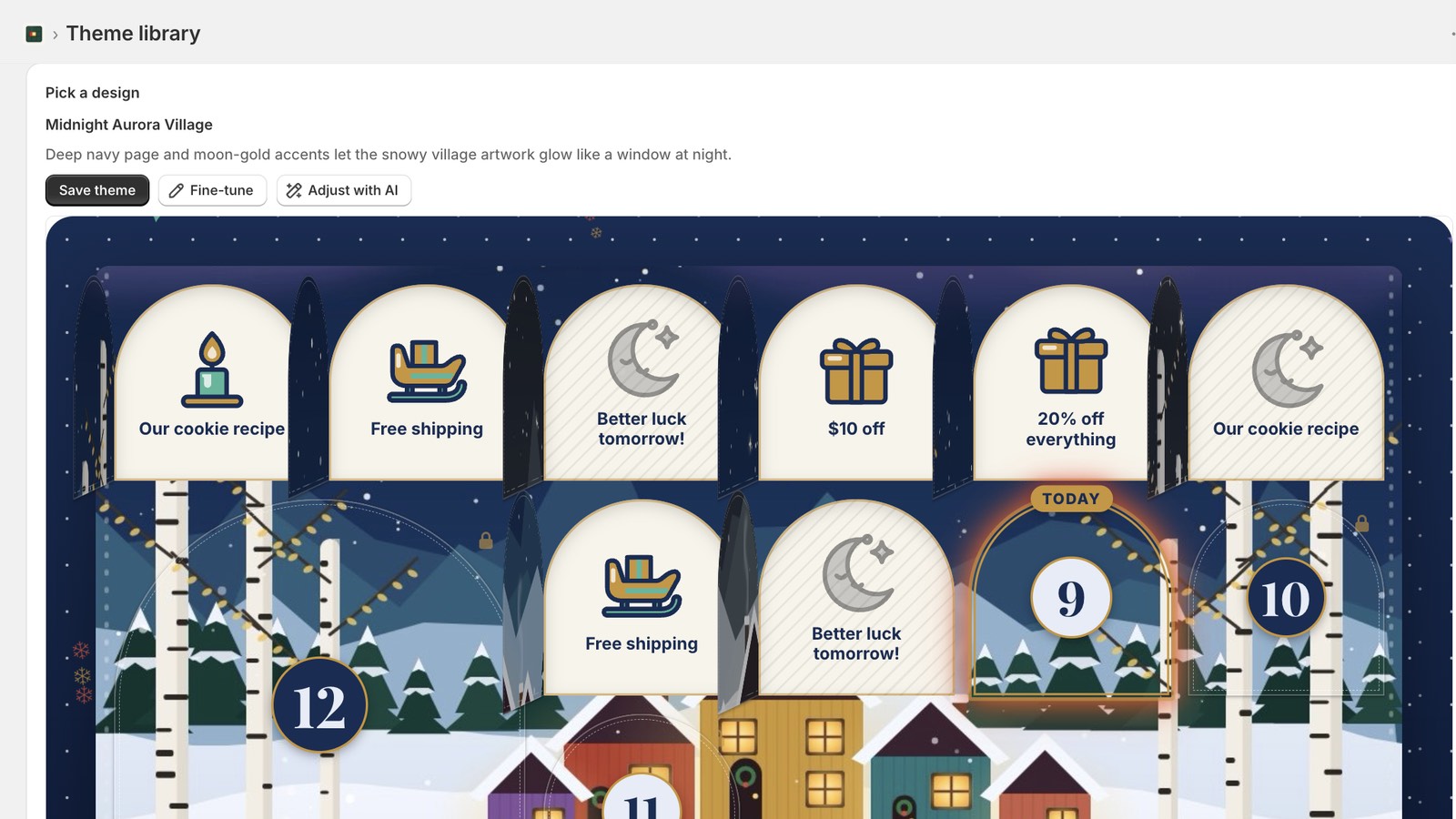
A calendar design made by the AI from the store's artwork, with buttons to save it, fine-tune it or adjust it with AI

Ready-made

14 themes, from Classic to Luxe

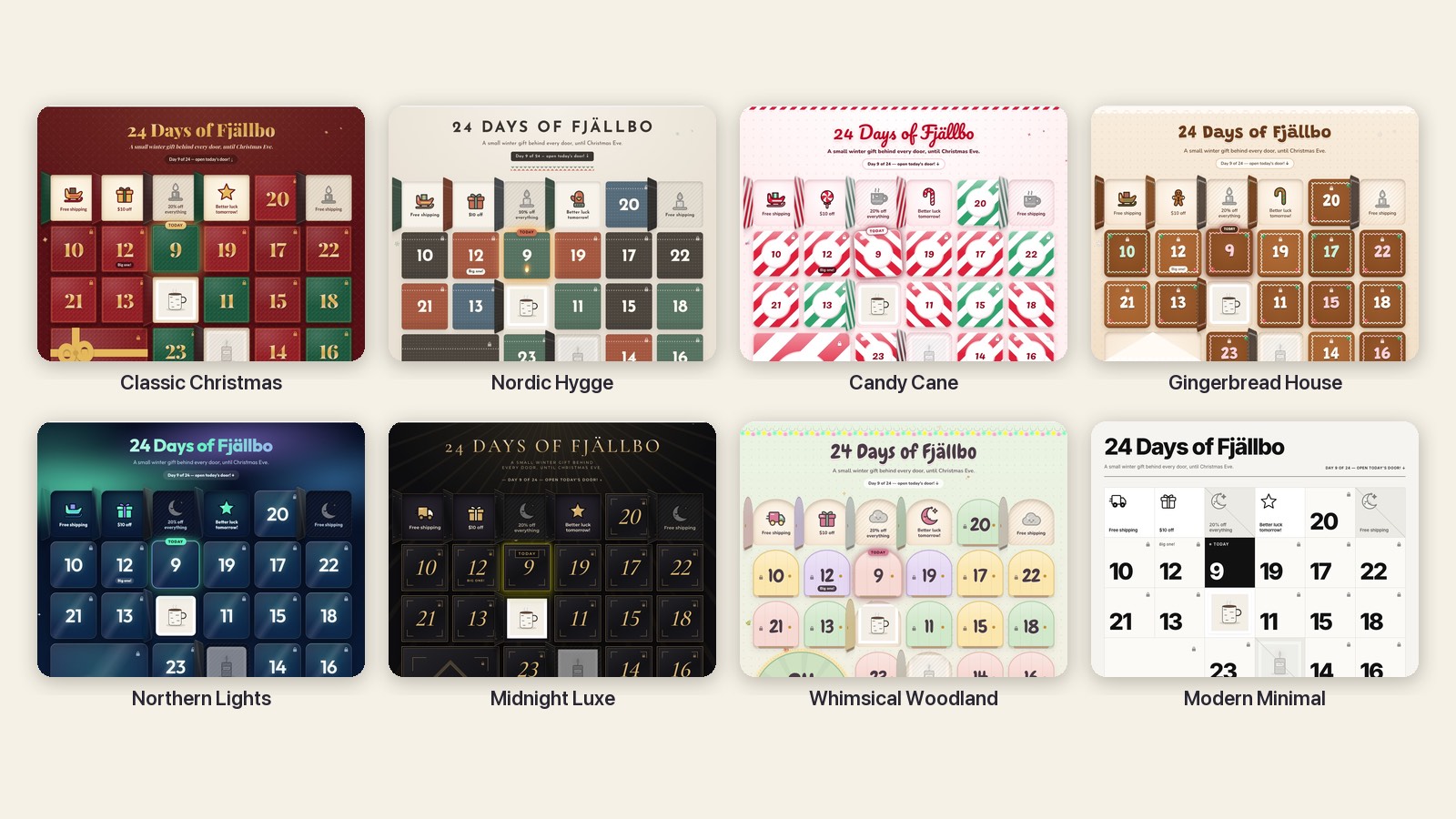
Classic Christmas, Gingerbread House, Candy Cane, Nordic Hygge, Midnight Luxe and more, plus a few for other seasons. Set your accent colour and you're done.

Eight of the ready-made themes: Classic Christmas, Nordic Hygge, Candy Cane, Gingerbread House, Northern Lights, Midnight Luxe, Whimsical Woodland and Modern Minimal

Behind every door

  • A code of their ownEach shopper can get their own single-use Shopify discount code, so codes can't spread on coupon sites. Or use one shared code: you choose per door.
  • Free shipping and giftsFree shipping, a free product, or a gift with purchase that shows its condition right next to the button.
  • Prize drawsSeveral prizes behind one door, each with its own odds and stock.
  • Recipes, tips and notesNot every door needs a discount.
  • Door storiesA short story about your brand under each prize, drafted by AI from your facts and products. By Christmas Eve the calendar reads like a little book about you.
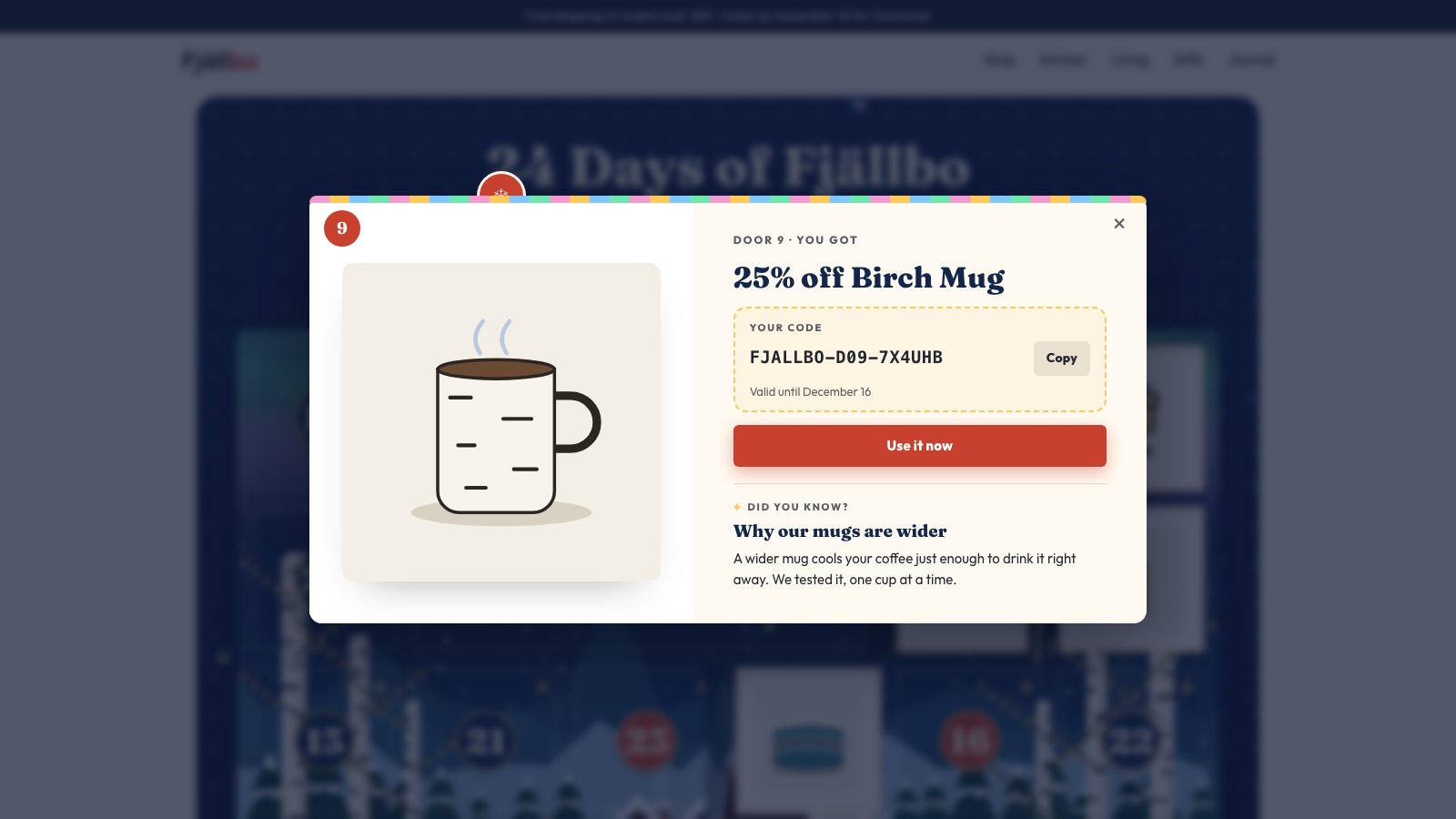
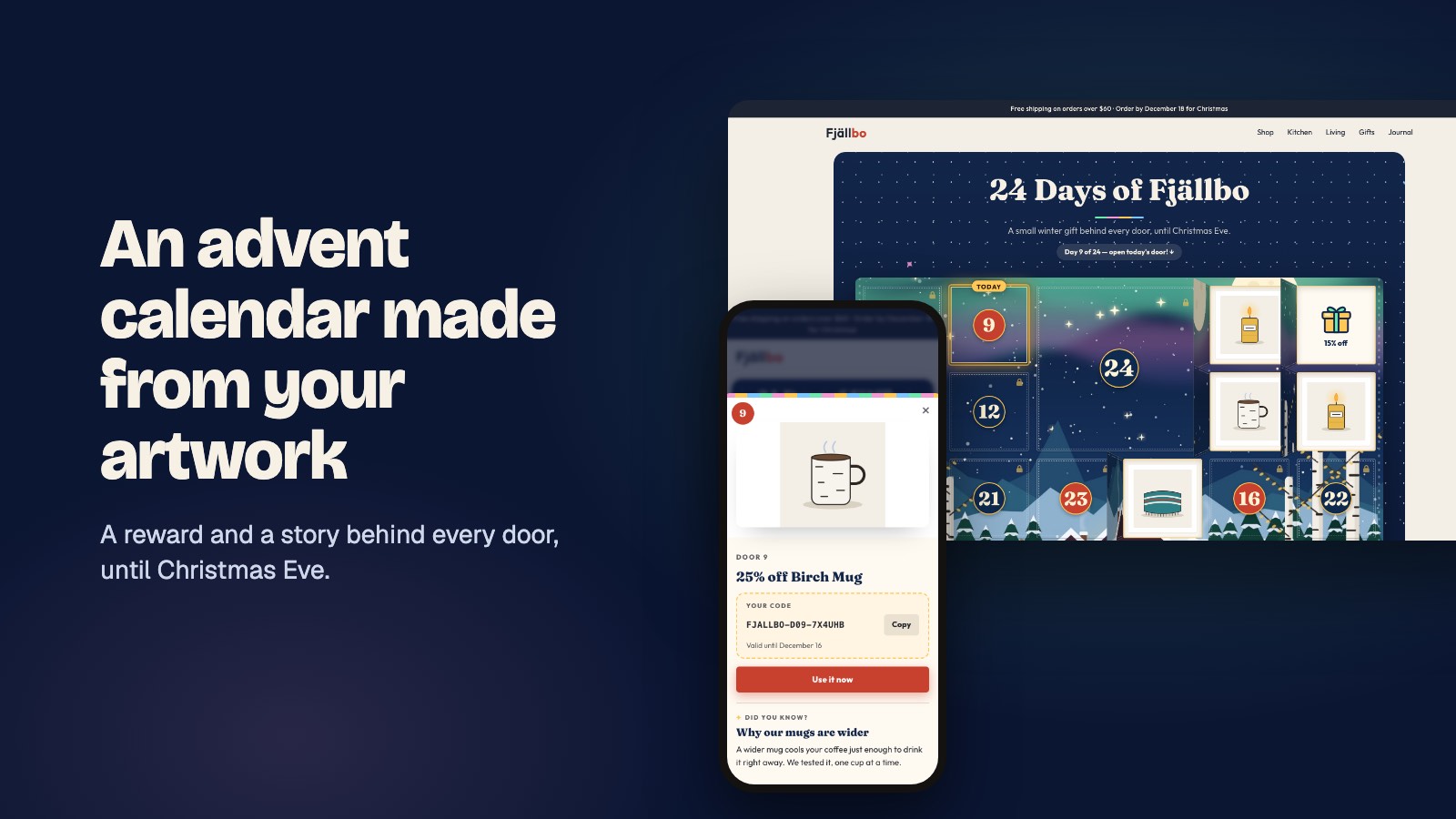
An opened door: 25% off a mug, the shopper's own discount code with a copy button, and a short story about the product
Door 9, opened: a code that works once, and the story behind the product.

Made for the season

  • Sign-ups that grow your listShoppers sign up with their email once to open doors and join your Shopify customers, tagged by calendar. Only those who tick the box are subscribed to email marketing.
  • Only today's door opensDoors unlock at midnight in your store's time zone. Opened doors stay open, and past doors show what was missed.
  • Test mode with a time machineTry any day on your own store, with real codes, behind a password for your team.
  • Its own page, or any pageYour calendar gets a page at your-store.com/apps/advent, in your theme. Or add it as a block to any page in the theme editor.
  • Light on your storeThe calendar loads after your page, only where you put it. It sets no cookies and adds no ad or tracking scripts.
  • ResultsDoors opened, codes handed out, sign-ups and stories read, for every calendar.
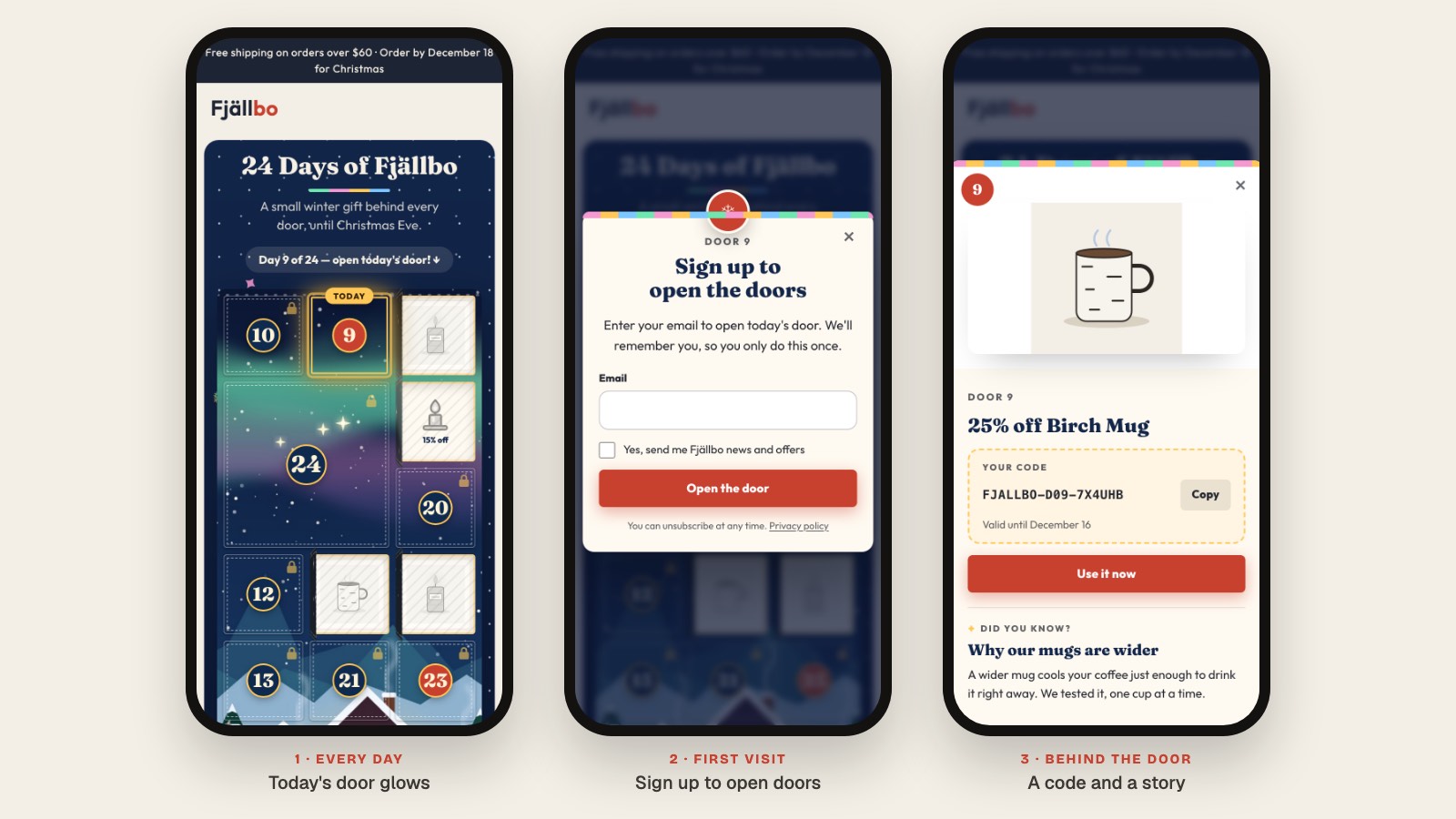
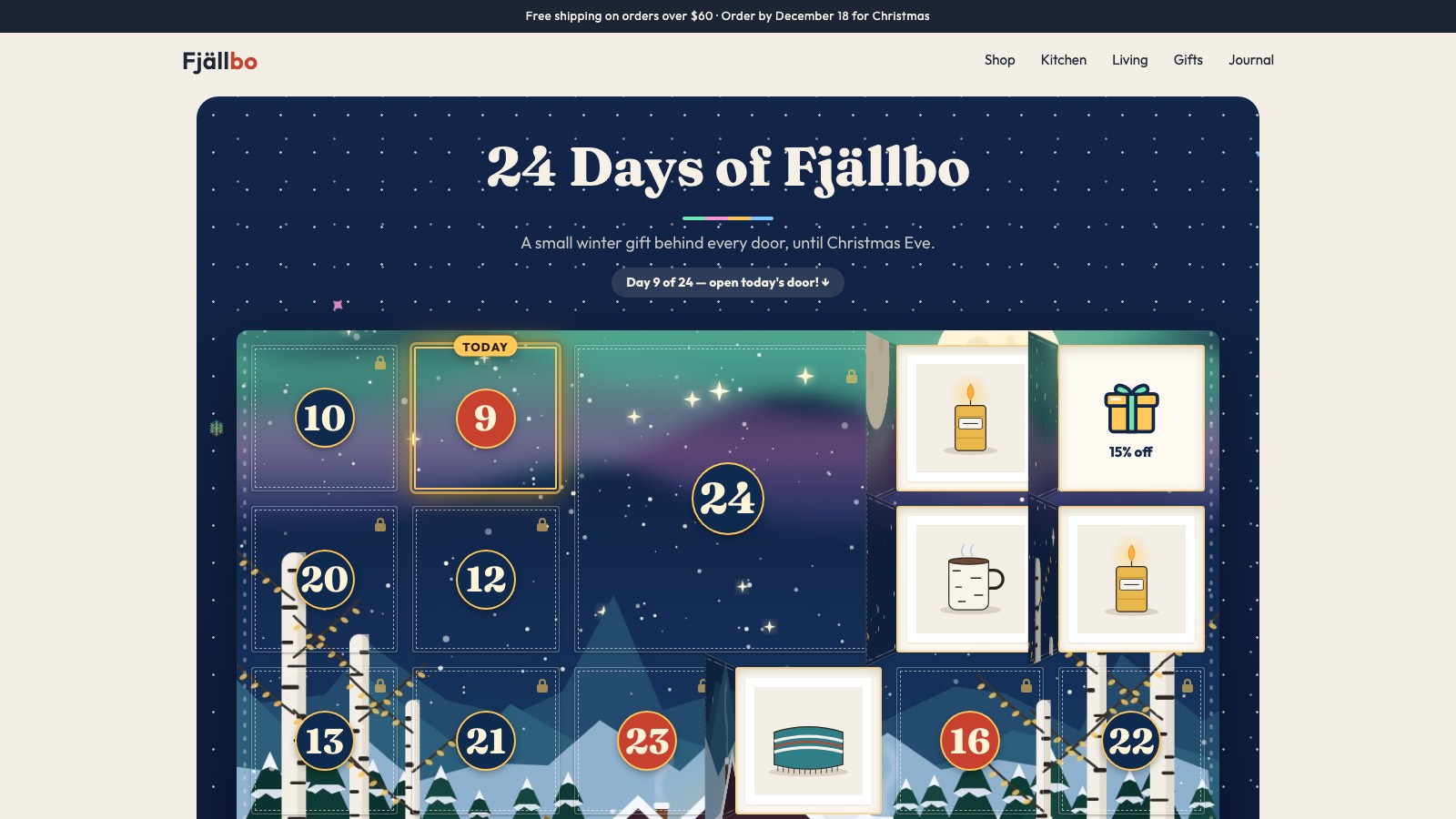
An advent calendar cut from a winter village illustration on a store's home page, with today's door glowing The calendar on a phone: today's door, the one-time email sign-up and an opened door

Pricing

One plan. Everything in it.

$999a year

Start with a 14-day free trial. After that, Shopify bills the plan yearly on your Shopify invoice. Cancel during the trial and you pay nothing.

Start your free trial

Set it up on your own store before you decide.

  • Unlimited calendars, doors and sign-ups
  • Calendars cut from your own artwork
  • AI designs and door stories
  • 14 ready-made themes
  • A single-use code for every shopper
  • Sign-ups become Shopify customers
  • Test mode with real discount codes

AI runs have a monthly allowance, shown in the app.

Questions

Can I use my own artwork?

Yes. Upload this season's illustration, packaging or campaign visual and the doors are cut out of it. Or describe a look and the AI designs one in your colours, or pick one of the 14 ready-made themes. You can fine-tune the colours of any of them.

How do the discount codes work?

Each reward is a real Shopify discount. Give every shopper their own single-use code, so a code posted on a coupon site is no use to anyone else, or one shared code if you prefer. You choose per door, and codes can expire after a set number of days.

What do shoppers sign up with, and where does it go?

Their email, once. They're added to your Shopify customers with the calendar's tag, and only those who tick the box are subscribed to email marketing, so Shopify Email or Klaviyo picks them up. Yulebox itself keeps only a one-way hash of the address. You can also let anyone open doors, or only customers who are logged in. More in the privacy policy.

Can I try it before December?

Yes, that's what the trial is for. Test mode runs your calendar on your own store on any date you pick, with real codes if you like, behind a password for your team.

What happens after Christmas?

After the last door the calendar thanks shoppers and keeps opened doors readable. Results stay in the app for 13 months, so you can compare next season. The plan renews yearly through Shopify; if you don't want it next season, uninstall Yulebox before it renews.

Will it slow my store down?

The calendar loads after the rest of your page, and only where you put it. It sets no cookies.

How do I get help?

Write to support@goodbirch.com. There's a short guide on the support page.

Twenty-four doors, ready by December 1.

Set it up on your own store before you decide: 14 days free, then $999 a year with everything included.